
HomeAboutAll PostsVideosSearchRSS

Why guests can't always @mention people in SharePoint comments

By Denis Molodtsov
Published in SharePoint
November 24, 2026
2 min read
Why guests can't always @mention people in SharePoint comments
Table of contents
Tested on: SharePoint Online, two tenants, November 24, 2026

Guests in SharePoint can post comments, but @mentions “sometimes work” for them. A user on Microsoft Q&A describes this behavior: Invited users can’t use the mention functionality in the list comments, they can comment but not mention anyone.

Microsoft doesn’t document the behavior around guest @mentions, so I tested it and documented the results:

Results

Guest can post commentsGuest can @mention internal usersGuest can @mention other guestsMember can @mention guests
Page commentsYesOnly if the person is in the site’s user listOnly if the guest is in the site’s user listYes
List item commentsYesOnly if the person is in the site’s user listOnly if the guest is in the site’s user listYes
Word document commentsYesNoNoNo

Observations and More Details

  • In page and list item comments, a guest’s @mention search only returns people from the site’s hidden user list (the User Information List). People who exist only in the directory are never returned.
  • A person lands in the site’s user list when they are granted access, invited (even before they accept), or visit the site.
  • Guests never call Microsoft Graph. Typing @ sends only ClientPeoplePickerSearchUser to the site.
  • Members get two searches at once, Graph /me/people (their contacts and the directory) and the site’s user list. The results are merged without removing duplicates, so members sometimes see the same name twice.
  • The same ClientPeoplePickerSearchUser request returns different results for a member and a guest. The server trims directory results for guests.
  • For guests, typing only @ shows “Enter more characters” and sends no request.
  • Results are capped at 30. One letter often matches almost everyone, because the search also matches the login (i:0#.f|membership|...) and the email domain. The person you want can fall outside the first 30.
  • Word for the web uses a different, undocumented people service (*.loki.delve.office.com/api/v1/personasuggestions), the same backend that powered Delve. It has no fallback to the site’s user list, and in my tests it didn’t return guests even to members.

A guest finds someone in the site’s user list

The guest typed @uni. UniqueAccount was invited to the site but never accepted or visited, and is found anyway.
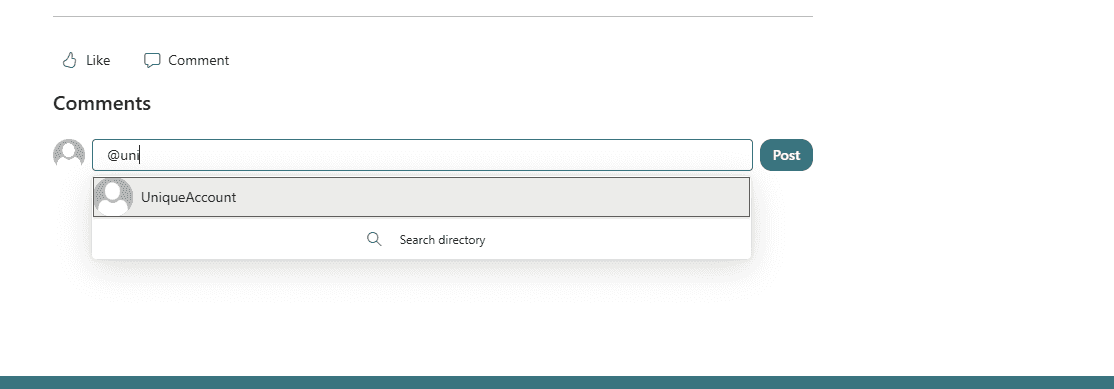
Guest finds a user from the site's user list

A guest can’t find a directory user who isn’t in the site

Jack exists in the directory but was never added to the site.

Guest gets no match for a directory user

A member types two letters and finds Jack immediately.
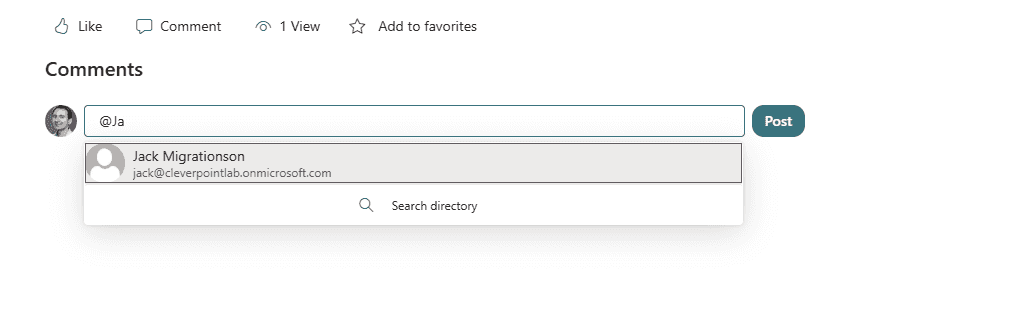
Member finds the same directory user

Members get two searches, guests get one

A member’s @ search calls both Graph and the site’s people picker:
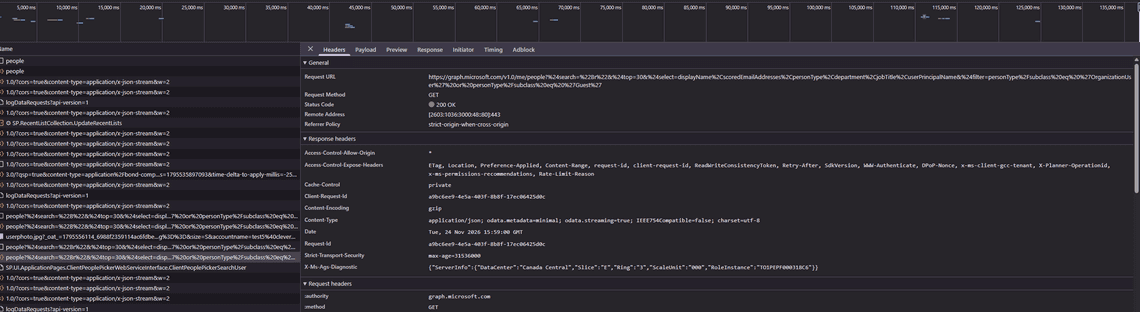
Member network traffic with Graph and the people picker

A guest’s search calls only the site’s people picker:
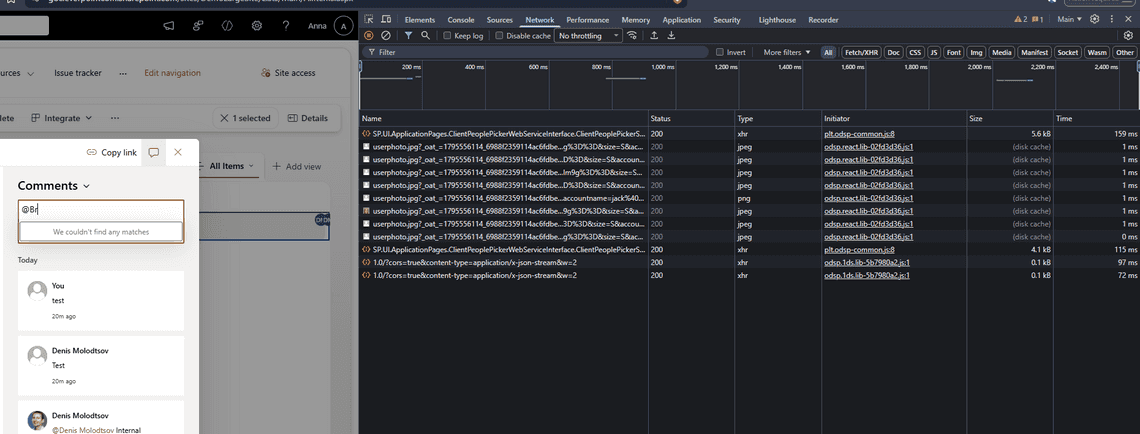
Guest network traffic with only the people picker

Same request, different caller

I sent the same ClientPeoplePickerSearchUser request for “jac” from the browser console. As a guest, the result is empty:
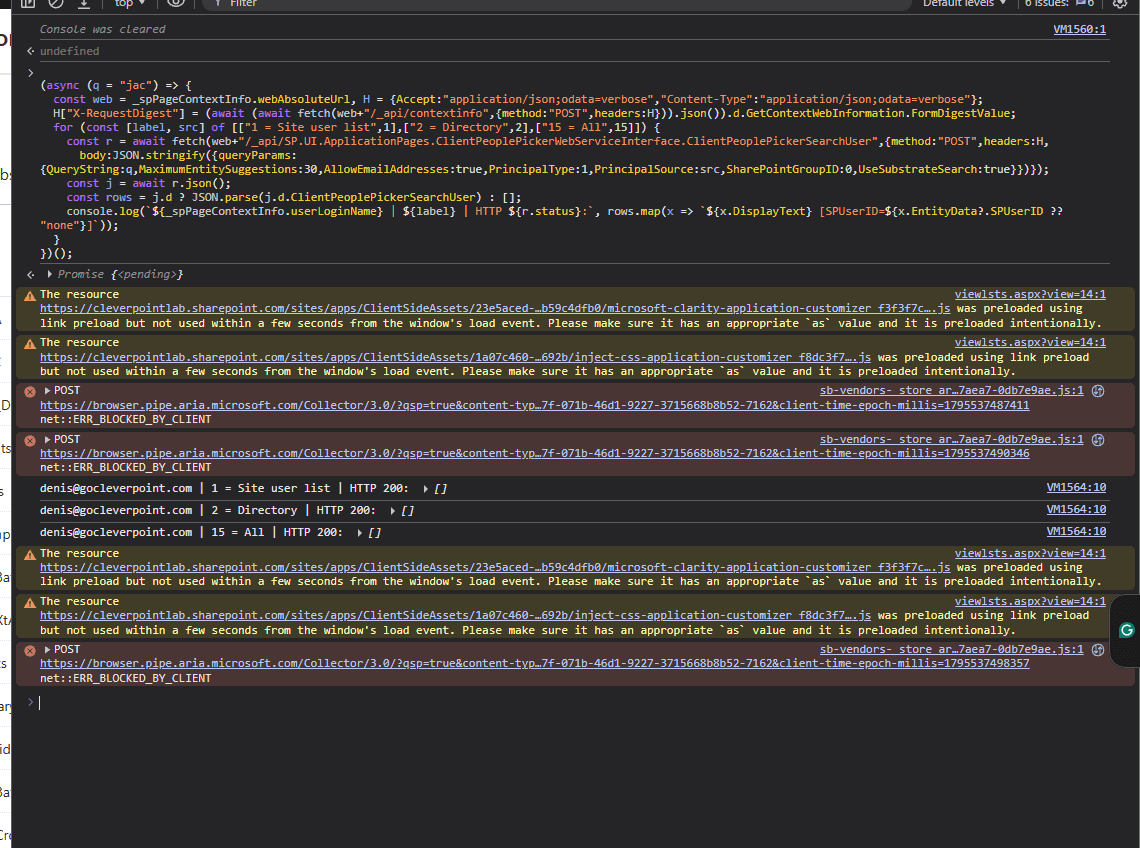
Console as guest returns nothing

As a member, the result contains Jack, with no site user ID because he came from the directory:
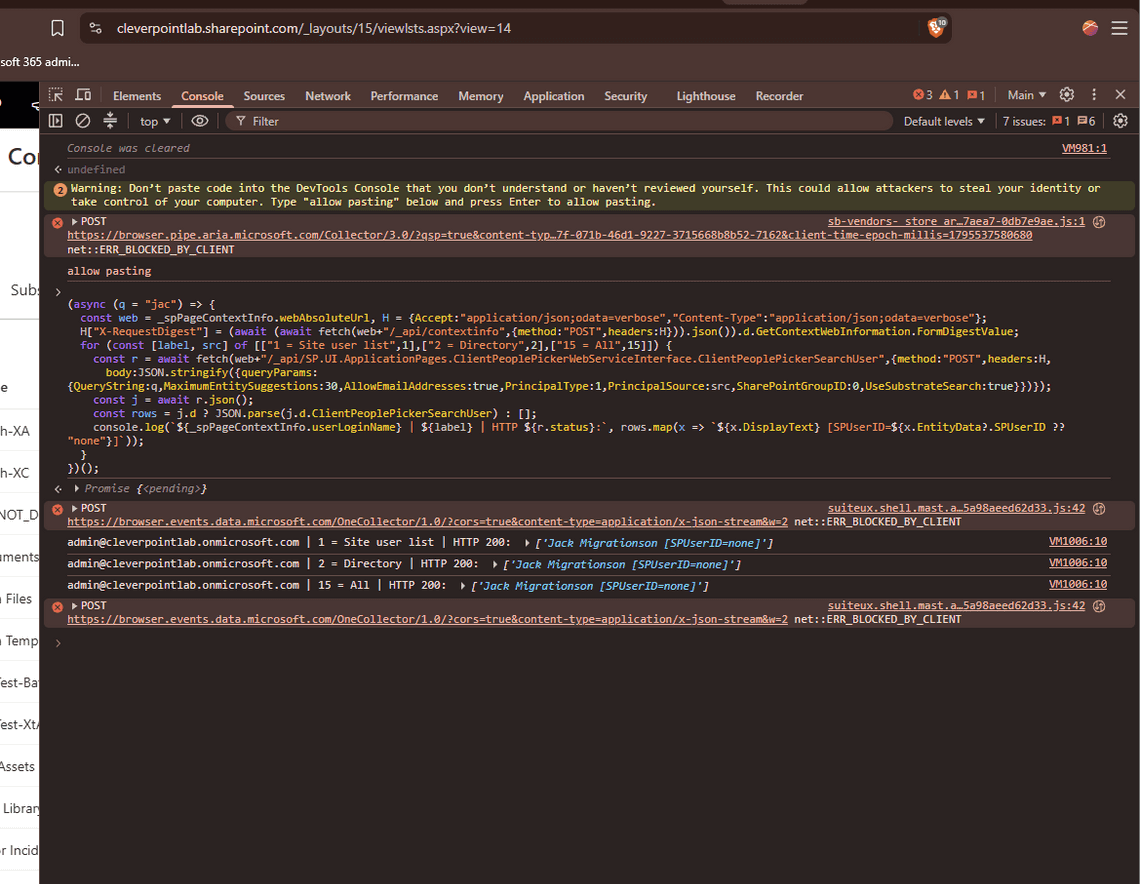
Console as member returns Jack

Limitations

  • I found no SharePoint setting that adds the directory to a guest’s @mention search in comments. I didn’t test whether changing the Entra guest access level (see Restrict guest access permissions) changes this, and most organizations won’t loosen it anyway.
  • Results differ between sites, because each site has its own user list. That’s why it “sometimes works”.
  • Word comments don’t support @mentions for guests, and members can’t @mention guests there either.
  • None of this is documented by Microsoft. The Word endpoint is internal and can change without notice.

Recommendations

  • Add the people guests need to mention to the site before guests need them, for example through a Visitors or Members group. Sharing the site with them is enough, even if they never visit.
  • Tell guests to type at least three characters of the name, not one.
  • Use page or list item comments for conversations with guests, not Word comments.
  • If a guest can’t find someone, a member can post the @mention instead.
  • For the background on how Microsoft ranks people for members, see People insights in Microsoft Graph.
Found this useful? Follow me on LinkedIn to see my new posts.
Follow on LinkedIn

Tags

SharePointSharePoint OnlineExternal SharingGuests

Share

Previous Article
Microsoft Teams and blocked accounts, a common trap
Denis Molodtsov

Denis Molodtsov

Microsoft 365 Architect

Microsoft Most Valuable Professional (MVP)

Related Posts

SharePoint HTML pages, part 3, can they replace modern pages and web parts?
November 01, 2026
11 min

Quick Links

AboutAll PostsRSS

Social Media