


How to Make OneDrive Sync Faster With a Simple Folder Trick

Table Of Contents
Introduction
Hey everyone! I work as an IT consultant, and I constantly need to sync data with OneDrive across multiple VDIs and PCs. I was losing a lot of time waiting for files to show up, so I decided to find out what can be done to speed things up.
The trick: on the computer that is waiting for the data, open your OneDrive folder in File Explorer, press Ctrl+Shift+N to create a new folder. OneDrive then pulls the data in seconds instead of minutes. You can delete the empty folder right away. Also, give each new folder you create a unique name (for example, add a number) and do not reuse the same name twice.
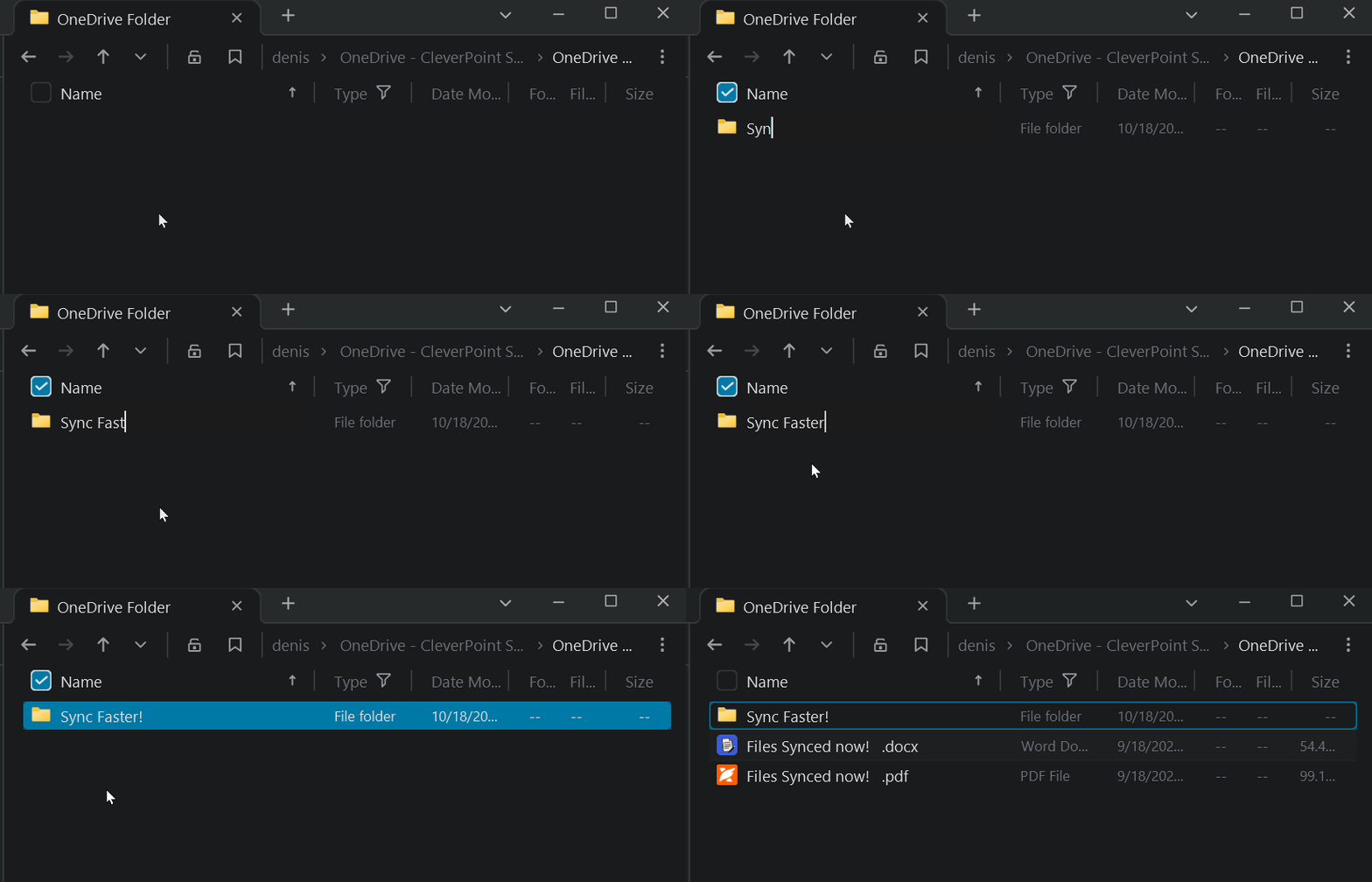
Why it works
I do not know exactly why this works. My guess is that local folder activity makes the sync client check for changes more often. Microsoft does not document a setting for this, and I did not find any policy or switch that does the same.
How I tested
One computer saved a small file into a synced folder every 10 seconds. On the other computer I recorded when each file appeared and compared that with the time it was saved. I ran the test in 4-minute windows. In some windows I did something on the receiving computer to try to make the sync client pull the data sooner, and in others I did nothing.
Experimental Quick rundown
| What I did on the receiving computer | Typical wait for a change to arrive |
|---|---|
| Nothing (default) | about 1 minute, sometimes 2 |
| Created small files | about 1 minute (no help) |
| Created a new empty folder every 30 seconds | about 20 seconds |
| Created a new empty folder every 15 seconds | about 12 seconds |
| Created a new empty folder every 4 seconds | about 5 seconds |
💡 The file reaches the cloud within seconds. It is the pull to the receiving computer that is slow, so the trick has to happen on the computer that needs the data, not on the one that saved the file.
Bottom line: creating folders on the receiving computer cuts the wait from minutes to seconds. Creating files does not.
Another obvious option: use the browser
If you just need the file right now, open OneDrive or SharePoint in the browser and get it from there. You do not have to wait for the sync client at all.
Conclusion
OneDrive sync can be slow, but a throwaway folder on the receiving computer nudges it along. If that is not fast enough, grab the file from the browser.
ℹ️ These are results from my own tenant and machines. Your numbers will differ, and because Microsoft does not document this behavior, treat it as a workaround and not a guarantee.
Share
Related Posts

Restrict Access to OneDrive to Specific AD Groups
April 01, 2024
1 min

SharePoint Migrations with CleverPoint Migrator
July 14, 2026
2 min