


How to Paste Text to a Restricted VDI that Blocks Clipboard
November 06, 2025
1 min
I frequently have to work on file shares and SharePoint server migrations to Microsoft 365. It is very common for my migration jobs to be interrupted by sudden reboots. I created this one-liner PowerShell script to quickly get the history of the last 10 reboots.
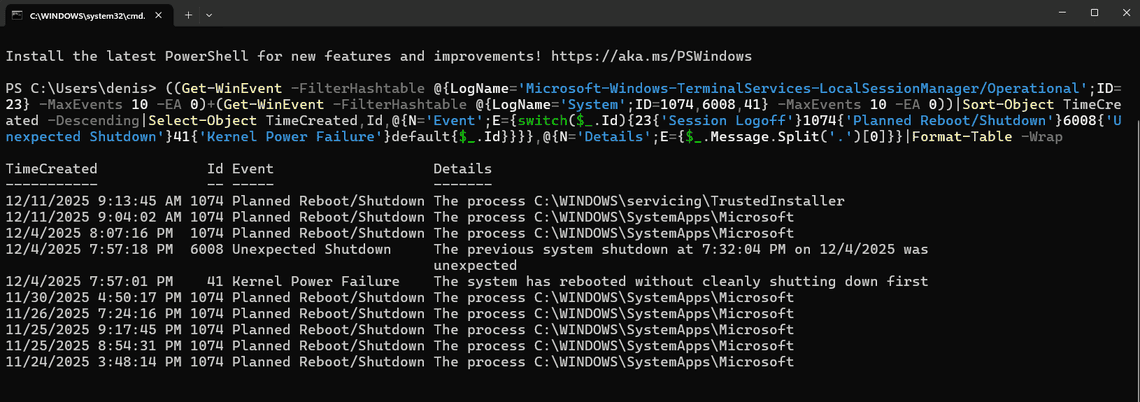
In this script, the IDs are the Windows Event IDs:
| ID | Log | Meaning |
|---|---|---|
| 23 | TerminalServices-LocalSessionManager | Session logoff (user disconnected/logged off from RDP) |
| 1074 | System | Planned shutdown/restart initiated by a user or process |
| 6008 | System | Unexpected shutdown (system was not cleanly shut down) |
| 41 | System | Kernel-Power failure (system rebooted without clean shutdown, often power loss or crash) |
This one-liner PowerShell script is a quick and effective way to get the history of server reboots, helping you identify any unexpected interruptions during your migration tasks.


